
Capture approved sources
Receive completed work through documented hooks, reconcile supported local history on a schedule, and import files only when you choose them.
No browser sessions, cookies, or private endpoints.Local-first history for AI coding agents
Agentrails captures provider-visible prompts, messages, tool activity, corrections, and outputs through approved local sources. It encrypts the original payload and builds a separate redacted search index on your machine. No browser scraping and no hosted Agentrails account.
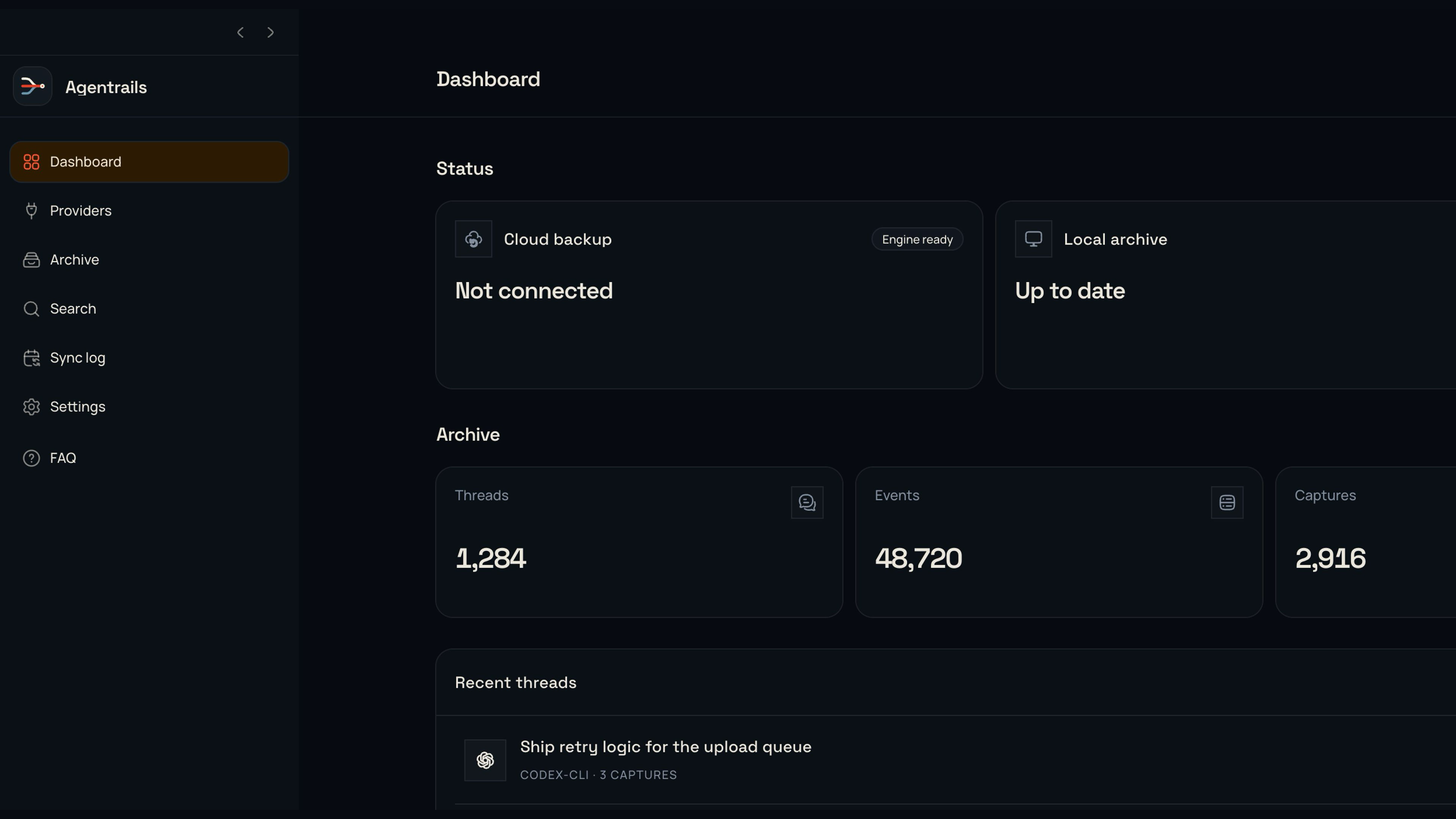
Actual desktop renderer with synthetic archive data. The complete 4K frame is shown without cropping.
v0.1 status
The local archive is usable now. Cloud connection setup is also available, but linking a bucket does not start archive transfer.
Approved hooks, documented local history, and files you select.
Encrypted raw captures plus a separate redacted SQLite index.
Desktop and CLI access with Markdown, JSONL, and portable ZIP exports.
OS-protected credentials and a temporary write, read, compare, delete probe.
No archive data uploads automatically in v0.1.
Recovery keys, encrypted manifests, retries, and restore tests must ship first.
The path matters when you need to explain a code change, repeat a successful fix, or find where an agent went wrong. Agentrails keeps provider-visible events in order, records where they came from, and labels coverage as captured, partial, or unavailable.
Receive completed work through documented hooks, reconcile supported local history on a schedule, and import files only when you choose them.
No browser sessions, cookies, or private endpoints.Agentrails keeps immutable raw captures separate from the search index. Raw payloads are compressed and encrypted with AES-256-GCM.
The original evidence remains available for verification.A redacted local SQLite index covers prompts, assistant messages, tool activity, corrections, terminal output, and other events exposed by the provider.
Coverage labels state what was captured and what was unavailable.Open a thread in the desktop app or CLI, verify archive integrity, and export a portable copy as Markdown, JSONL, or ZIP.
Exports happen only when you request them.The desktop app keeps messages and provider-visible events in their captured order. Open a thread, inspect event content, and export the thread without moving the rest of the archive.
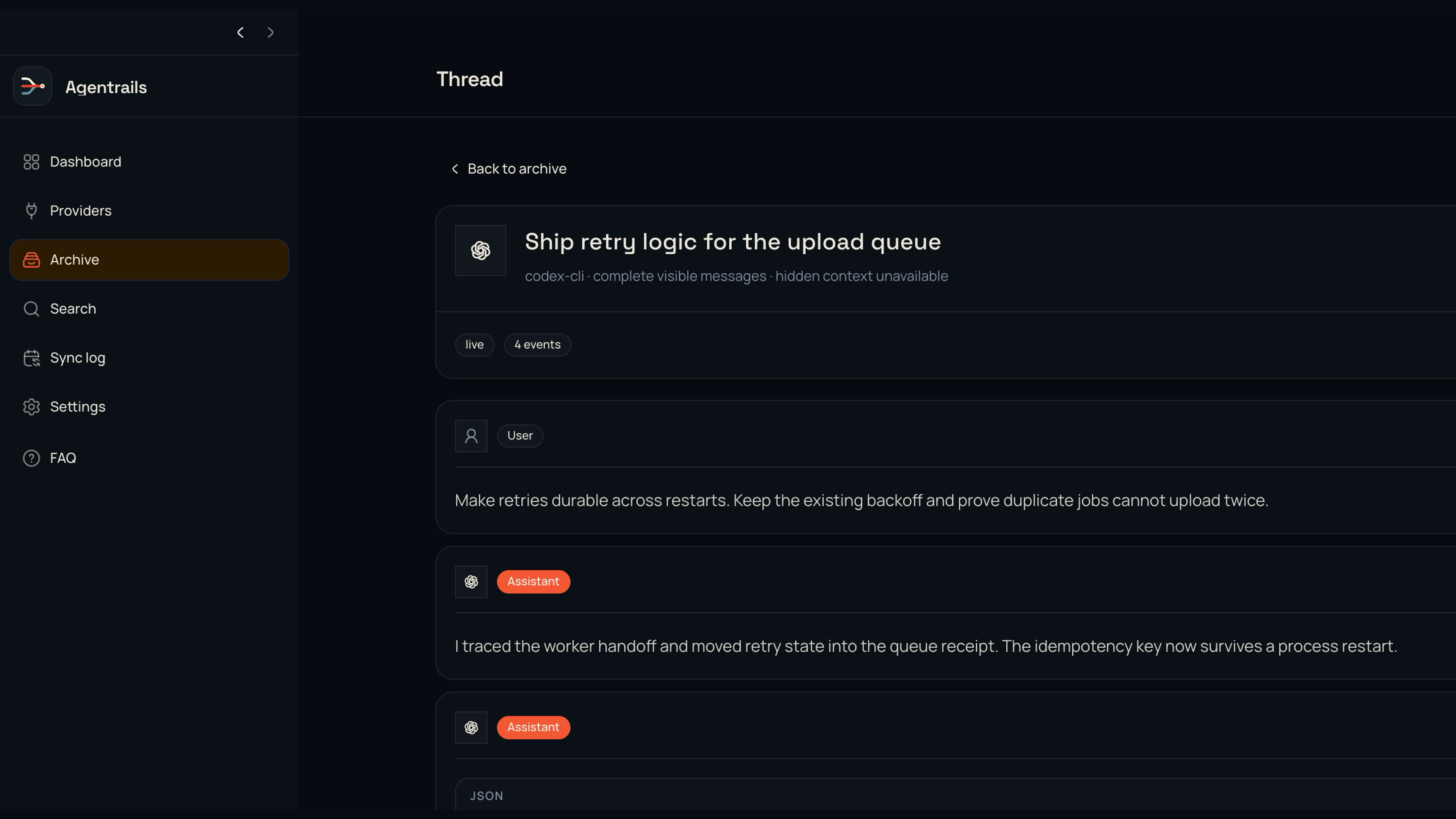
Actual desktop renderer with synthetic event content. Open the image for the full-resolution view.
Codex CLI, Claude Code, Cursor, Gemini CLI, Windsurf, and Copilot CLI can feed the same archive through approved hooks or documented local history. Other supported agents enter through exports you select. Agentrails never scrapes a signed-in provider account.
Use hooks for completed work and scheduled reconciliation for supported local history.
Import official exports and documented history files without giving Agentrails provider account credentials.
The CLI uses the same archive core and provider state as the desktop app. It works on a workstation or headless machine and supports JSON output for scripts.
npm install --global @agentrails/cliRequires Node.js 22.13 or newer.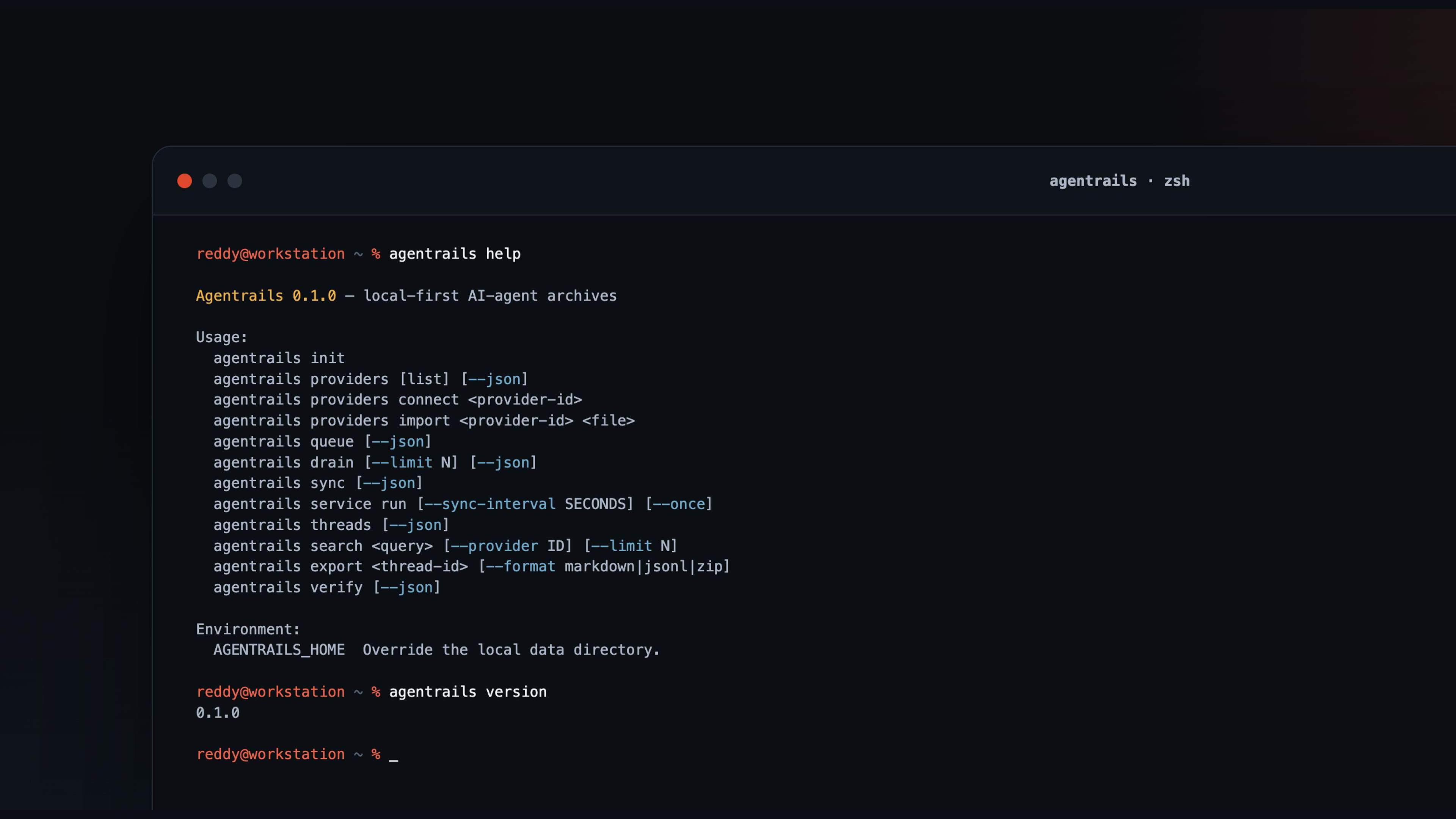
Rendered from the real agentrails help and version output at 3840 × 2160.
agentrails initCreate the local archive and encryption key.
agentrails providers listInspect available and connected providers.
agentrails syncReconcile documented local history and drain the queue.
agentrails search <query>Search the redacted index with optional filters.
agentrails verifyCheck raw objects, artifacts, and event integrity.
agentrails export <thread-id>Write Markdown, JSONL, or portable ZIP.
Search needs readable normalized text. Evidence needs an unchanged source record. Agentrails stores them as separate layers with different jobs and security properties.
Read the full privacy modelImmutable payloads are gzip-compressed and encrypted with AES-256-GCM before entering the local archive.
Normalized events are redacted before entering the local SQLite full-text index.
Pick any S3-compatible provider. The desktop app protects its credentials with operating-system storage and verifies the private bucket with a temporary write, read, compare, and delete check. No Agentrails account or Agentrails-hosted storage sits in the middle.
Install the CLI from npm or run the desktop app from source. Connect one approved agent source, confirm the first capture, and search it locally. S3-compatible bucket setup is optional in v0.1 and does not upload your archive.
Common questions
Agentrails is explicit about coverage and storage because a partial trace and a complete account history are not the same thing.
No. It stores only the messages and events exposed by an approved hook, documented history file, SDK event, or export. Hidden provider context remains unavailable, and every archived thread carries coverage details.
No. Capture, encryption, search, review, integrity checks, and exports run locally. S3-compatible storage uses a bucket and credentials that you create with your chosen provider.
Original raw captures and stored attachment bytes use AES-256-GCM. The redacted SQLite search index, pending queue, provider state, and user-created exports remain local plaintext protected by filesystem permissions.
No. The desktop app can protect credentials and verify bucket access, but automatic backup and clean-device restore are disabled in v0.1. Local capture and search do not require cloud storage.